Training and competency management for WA transport and mining.
Set the standard, train to it, prove it.
Train your people, assess them to one standard and keep every competency on record. One system for road-haulage fleets and mine sites, from induction and VOC through to audit-ready compliance reporting.
Built by a former DoT instructor and assessor. Meet the founder →
Competency matrix Example
| Person | Equipment | Status |
|---|---|---|
| J. WalkerDriver | Triple road train | Competent |
| S. NguyenOperator | Haul truck | Competent |
| M. HarrisDriver | B-double | Due in 14 days |
| T. ReidOperator | Crusher plant | Overdue |
Australian owned and operated. One sign-in, one database, one company, in one country!
- Based in the Mid West, WAClose to where the mining happens, and built by someone who has done the job.
- Records kept in AustraliaTraining and VOC records are stored in a Sydney data centre.
- Secure by designEncrypted connections, hashed passwords, and each company sees only its own records.
- One sign-in, both appsSigned up for Driver and Plant Training? Sign in once and switch with one tap.
- Dashboard your wayShow drivers, operators or both together, in one matrix.
Built for WA transport and mining
Train, assess, record and report in one system, on a phone or tablet, using your own equipment, routes and procedures.
- TrainStructured programs and training logs for each vehicle and item of plant
- AssessVOCs rated C, F, P or N/A, and Trainer VOCs that keep every assessor to one standard
- RecordEvery VOC saved, locked and searchable by name or employee number
- ReportA matrix of who is competent, due or overdue, across drivers and operators
 Transport · Integrated Driver Solutions
Road haulage fleets
MC driver training and VOC for B-doubles and double, triple and quad road trains. Evidence of competency for Chain of Responsibility, customer audits and incident reviews.
 Mining · Integrated Operator Solutions
Mine sites and contractors
Training programs and VOCs for mobile and fixed plant, so operators can be verified competent on each item of equipment before they work on it.
From a Fair or Poor rating to a closed corrective action
Every item an assessor rates F or P gets a root cause, and becomes a corrective action on the Dashboard. Nothing is left in a comments box, and nothing closes without someone checking it.
Rate the item
C, F, P or N/A, on a phone or tablet.
Root cause filled in
The assessor confirms or changes it.
Corrective action raised
Each F and P goes to the Dashboard with its priority.
Worked through
Open, In progress, Completed, with a note of what was done.
Verified and closed
By a different person, and kept on record.
The Dashboard charts root causes across all VOCs, so you can see where training needs to change, not just who needs it.
See it in action
Real screens from the apps and the Dashboard, using example people and results.
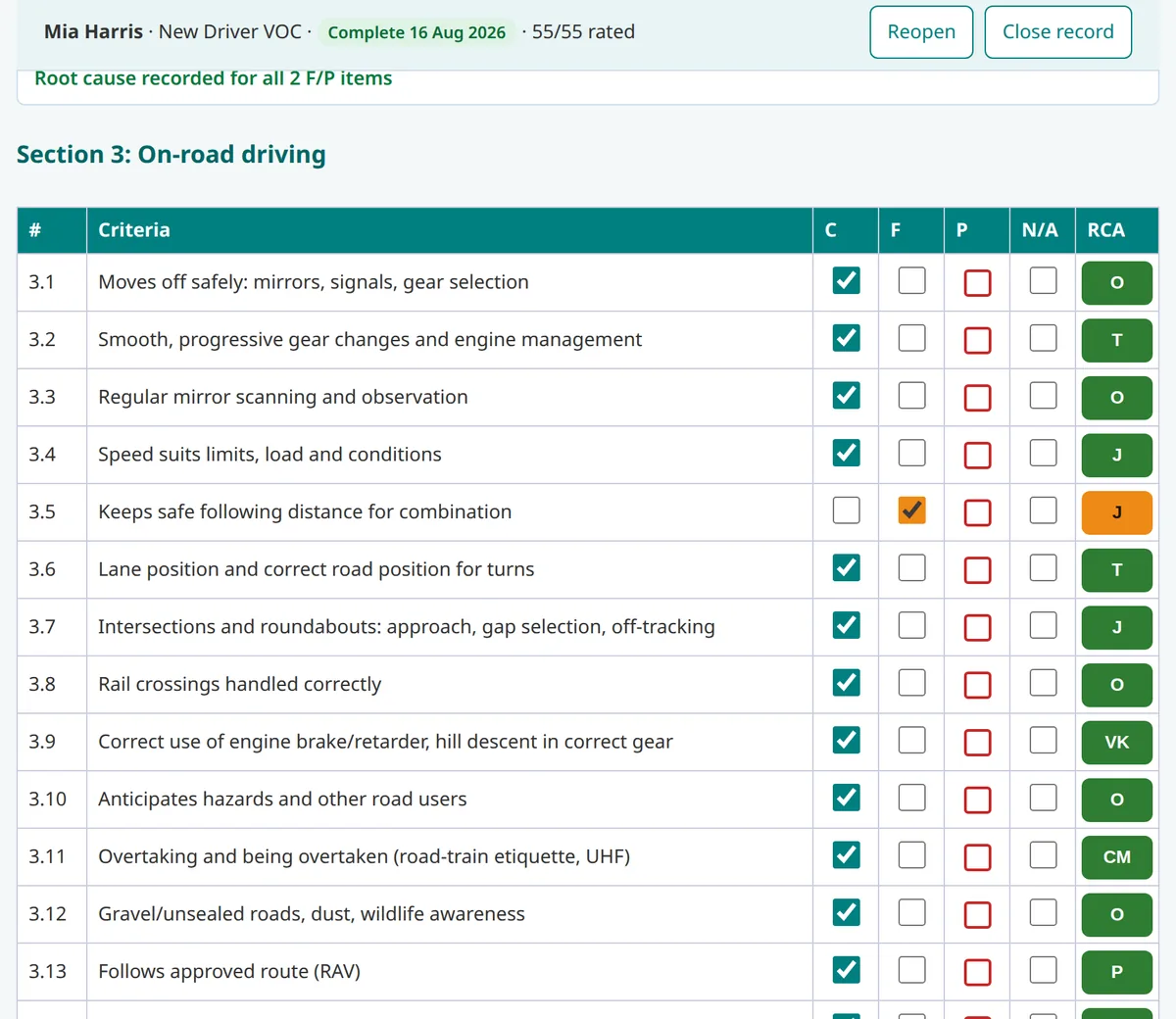
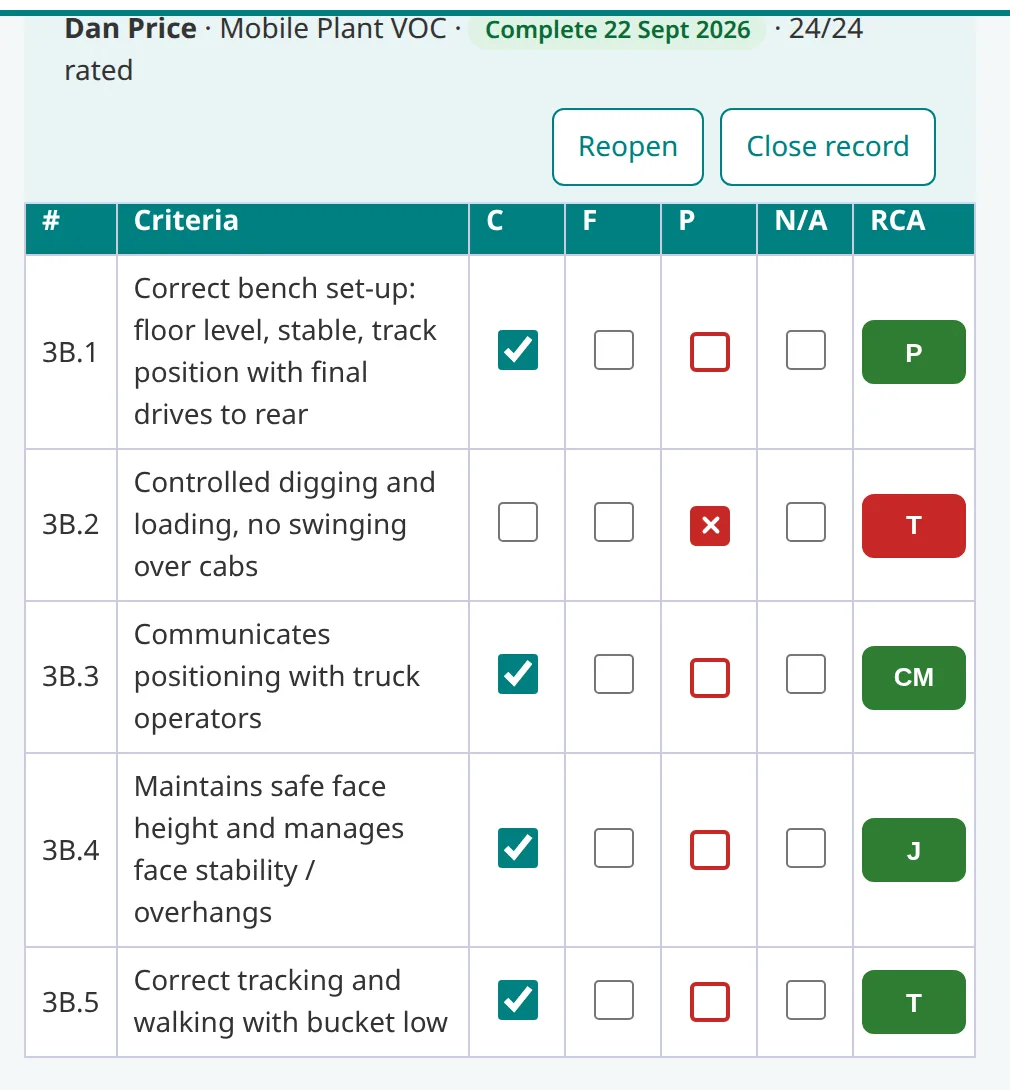
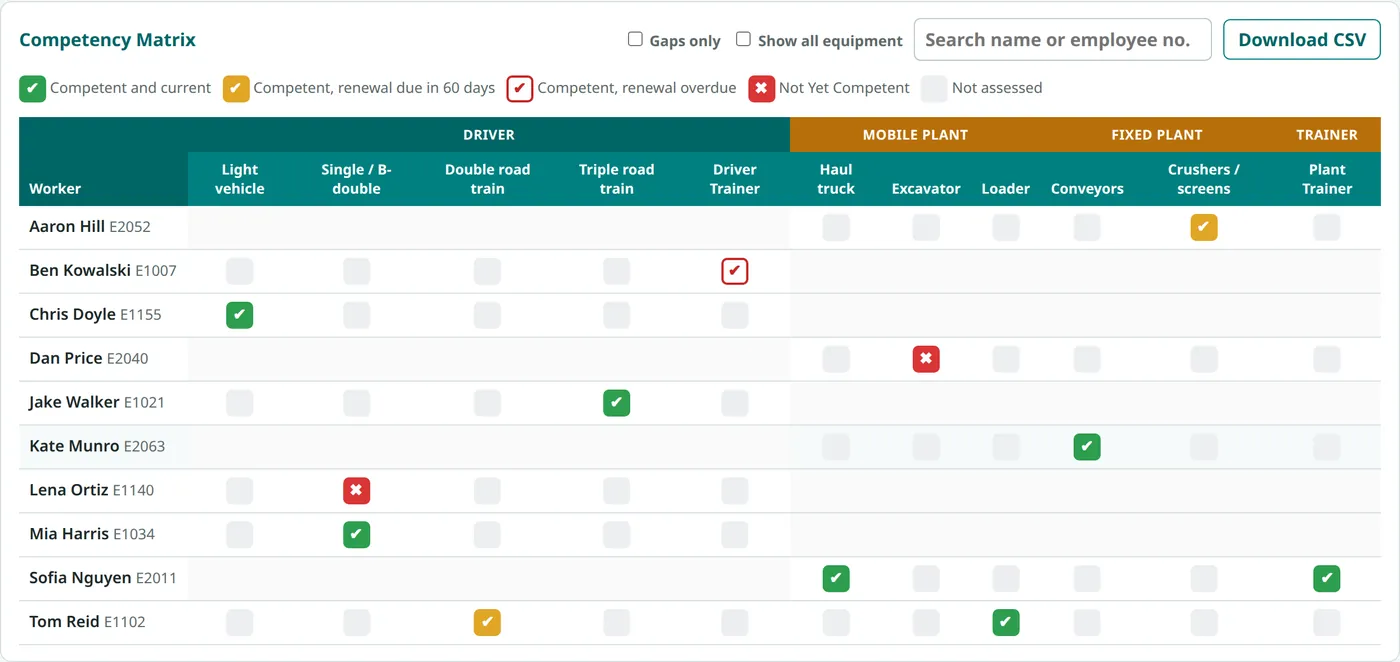
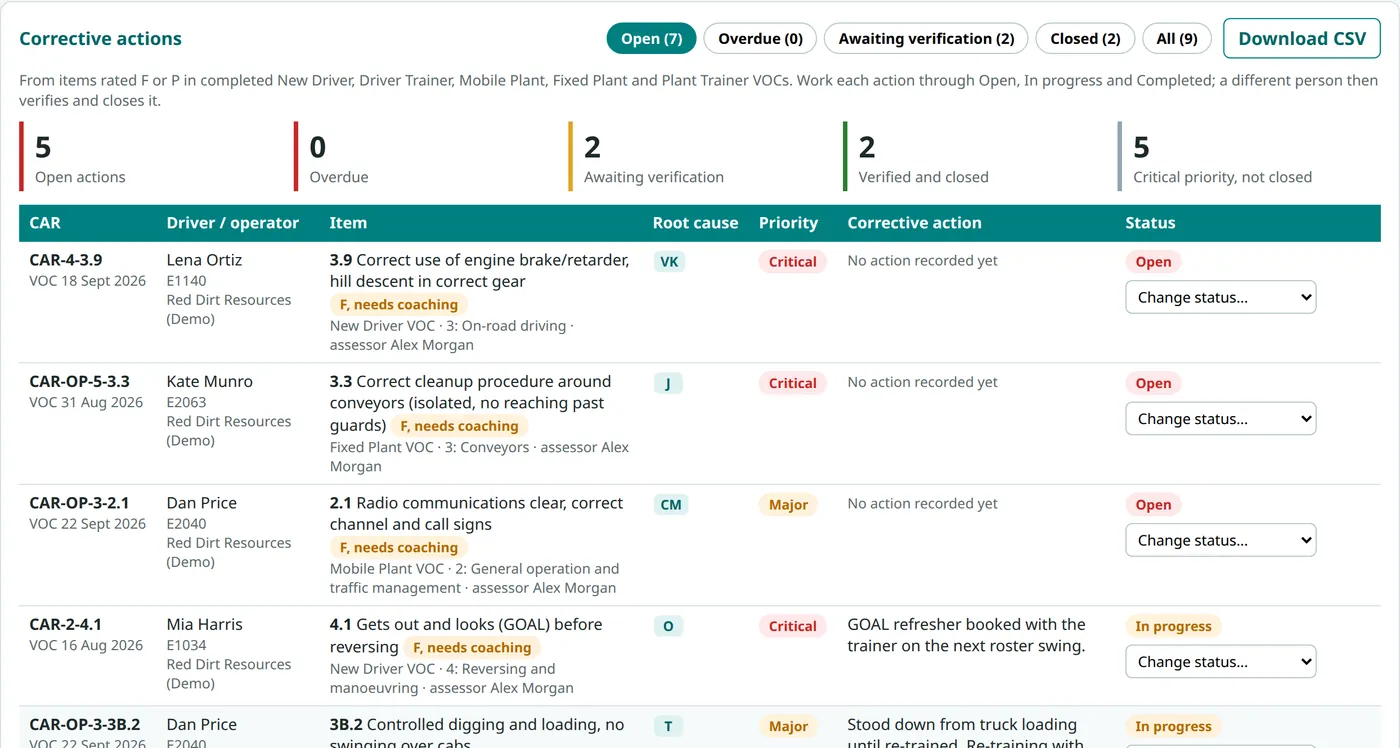
Swipe for more screens →
Sign in as a manager, assessor or Training Compliance user. No sign-up needed.
Founding Pilot partners
Working with WA fleets and mine sites
Audit-ready competency records
When an audit or incident review asks "was this person assessed as competent, on this equipment, by whom and when?", the answer is one search away.
See the Compliance Dashboard- Separate accounts for managers, assessors and Training Compliance, who can view records and add people but not change VOCs
- Each fleet or site sees only its own people and records
- Completed VOCs are locked, and only a manager can reopen them
- Former users' assessment history is kept as evidence
- Word and fillable PDF versions for no-signal areas
Built by someone who has done the job. Designed by a former Department of Transport (DoT) approved heavy-vehicle instructor and assessor across HR, HC and MC, so it reflects how training and assessment really happen in the yard, on the road and on site. Read Rick's story →
Founding Pilot for WA Fleets & Mine Sites
We're working with a small number of WA fleets and mine sites to test the system in real operations and refine it with the people who actually do the job.
No cost, no card and no obligation to buy. In return, we ask for honest feedback.
We can also adapt, change and integrate VOCs to suit your operation, including the ones you already use. Tell us what you want and together we can build something great!